Digital learning has transformed the way students attend lessons and how teachers manage their classes. A key part of this shift is the rise of virtual classrooms. If you’re wondering what a virtual classroom is, it’s a live online space where students and teachers connect, interact, and take part in lessons in real time.
This setup works well when attending in person isn’t possible. That’s why many schools, universities, and training centres now include it in their daily teaching. To see how it all comes together, let’s look at the main features that define it.
Key Features of Virtual Classrooms
A proper virtual classroom includes several tools and features that support learning without the need for a physical school building. Some of the most commonly used features are:
| Feature | What It Does | How It Helps Students |
| Live video and audio | Allows real-time lessons and discussions | Makes learning interactive and engaging |
| Chat or message box | Lets students type questions or answers | Encourages participation |
| Screen sharing | Shows slides, videos, or whiteboard content | Helps explain topics visually |
| File uploads | Provides worksheets, notes, and reading tasks | Keeps all learning materials in one place |
| Attendance tracking | Records who joined and for how long | Useful for both teachers and schools |
Many schools across the country are exploring these features in different ways. For instance, the best kindergarten in Bangalore utilises simple digital tools to ease young learners into basic classroom routines, while maintaining a fun and flexible setup. Activities are designed to be short, visual, and supported by parents when needed.
How a Virtual Classroom Works in Practice
In a typical online class for teaching, the teacher logs into the learning platform and starts the live session. Students join in using their computers or tablets. The session begins with the teacher greeting the class, just like in a physical room.
Here’s what usually happens:
- The teacher shares their screen or opens a digital whiteboard.
- Students watch, listen, and take part by asking or answering questions in real-time.
- Lessons may include videos, quizzes, polls, or breakout rooms for group tasks.
- After the session, the teacher can share homework or additional materials on the same platform.
Everything is recorded and saved, so students can rewatch the lesson if they need to. This makes it easier to keep up, especially when someone misses a class or wants to revise.
Benefits for Students and Teachers
There are many direct advantages to using virtual classrooms. Each benefit supports a specific area of learning or teaching:
- Flexible access: Students can attend classes from home, reducing travel time and allowing them to learn in a familiar environment.
- Rewatch options: Recorded sessions can be used to revise lessons before tests or exams.
- Comfort with digital tools: Regular use of platforms builds digital skills valuable for future education or work.
- Clear communication: Messages, updates, and assignments are all in one place. This avoids confusion.
- Custom pace: Some students may require more time to grasp a topic. Virtual lessons make it easier to pause, rewind, or revisit parts as needed.
For teachers, it offers better tracking of student performance and easier access to teaching resources and student data.
What to Check Before Joining a Virtual Classroom
Before signing up for an online class for teaching, it’s essential to make sure a few things are in place. These help avoid issues later.
- A reliable internet connection to handle live video.
- A laptop or tablet with a camera and a microphone.
- A quiet space where the student can attend without distractions.
- Basic knowledge of the platform being used (teachers usually guide students in the first session).
- Support from parents or guardians, especially for younger students.
Schools should also have someone available to handle technical issues in case anything goes wrong during a session.
Summary Table: Virtual Classroom Essentials
Here’s a quick breakdown of the essentials and how they help:
| Area | Requirement or Feature | Why It Matters |
| Device | Laptop / Tablet | Needed for attending sessions |
| Internet Speed | Minimum 5 Mbps recommended | Supports smooth video and voice |
| Tools Used | Zoom, Google Meet, MS Teams | Platforms commonly used in schools |
| Parent Support (for kids) | Supervision during sessions | Helps younger students stay focused |
| Teacher Tools | Screen share, polls, whiteboard | Keeps sessions structured and interactive |
At the End, it’s Clear: Digital Learning Is Now Part Of Everyday Schooling!
Now that we’ve looked at what a virtual classroom is, how it operates, and what to expect, it’s clear that this way of learning is not just an alternative — it’s a well-structured system in itself. Many students have found it more accessible and better suited to their learning style.
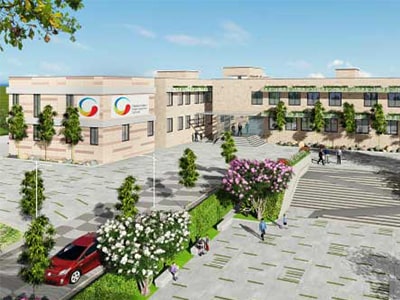
Schools across India are adapting too. The top CBSE schools in Whitefield have included structured virtual sessions into their daily schedule. These are timetabled just like regular classes, with attendance tracking, regular assessments, and guided assignments, all supported through digital platforms.
In all, virtual classrooms are now part of the standard learning environment. When used correctly, they bring focus, structure, and flexibility to everyday lessons, without needing to walk into a building.
 Whitefield Campus
 Bannerghatta Campus